
Purpose and scope
The App Store provides access to a set of third-party integrations and Premium add-ons that you can configure and manage. This article provides a step-by-step guide to configuring and managing Google Merchant Center, which is available under the Smart Pack - Digital Marketing section of the App Store.
This feature is only available as part of the Digital Marketing SmartPack. Contact our sales team for more information.
Assumptions
-
Any costs associated with Google Merchant Center are your responsibility.
Introducing terms and concepts used in this article
|
Term |
Definition |
|---|---|
|
Google Merchant Center |
(GMC), a service offered by Google that allows you to add your product information to Google. Once this information is uploaded to Google, the service makes it available to your customers when they search for your products using Google. |
|
Measurement ID |
string uniquely identifying a Google Analytics 4 property, it has the format G-XXXXXXX. The Measurement ID encodes what reports and data are captured for your website and/or app. |
Step by step
Assumptions
-
You have purchased the Digital Marketing SmartPack, and our support team has activated it. When activated, you will see Settings under the app description in the App Store, and configuration options for your use when you select Settings.
-
You are logged into the Management Interface.
-
You have a multi-client account with an associated sub-account in Google Merchant Center.
Step 1: Open App Store
Open
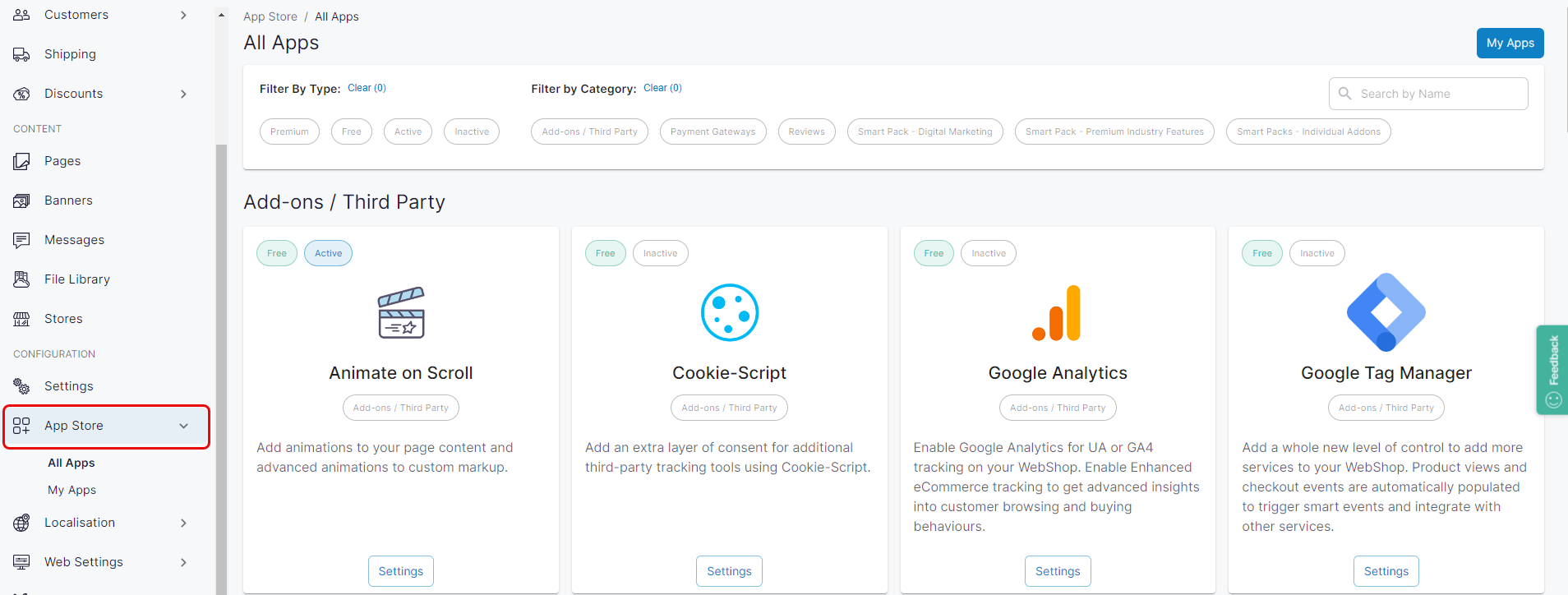
Click App Store under Configuration on the left side menu. The App Store is displayed.
Step 2: Configure and manage
Configure & manage
Locate the Smart Pack - Digital Marketing category in the App Store. The apps included in this category are available as part of the Digital Marketing SmartPack. Each app in this category is activated and managed differently.
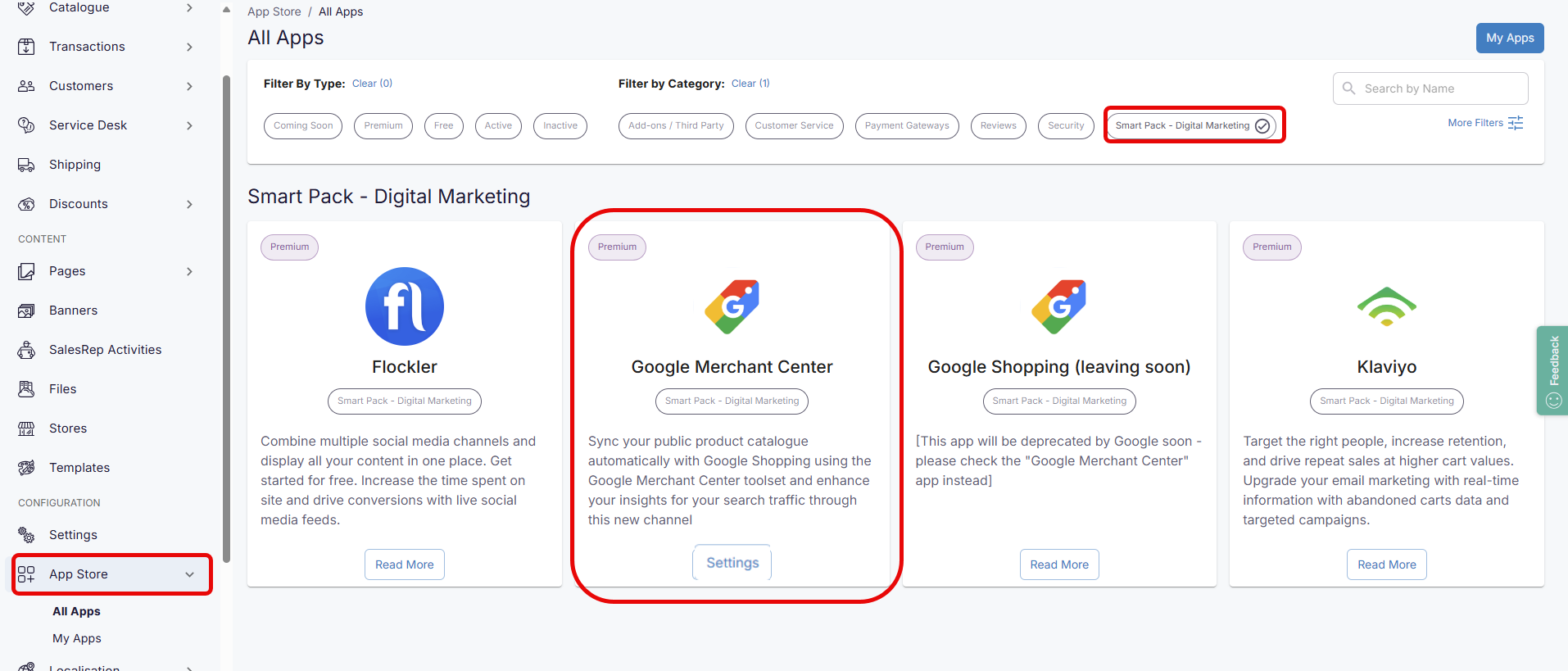
Select Settings under Google Merchant Center. Google Merchant Center is a configuration tool for Google Shopping that enables you to create and manage shopping ad campaigns with direct links to products in your WebShop.
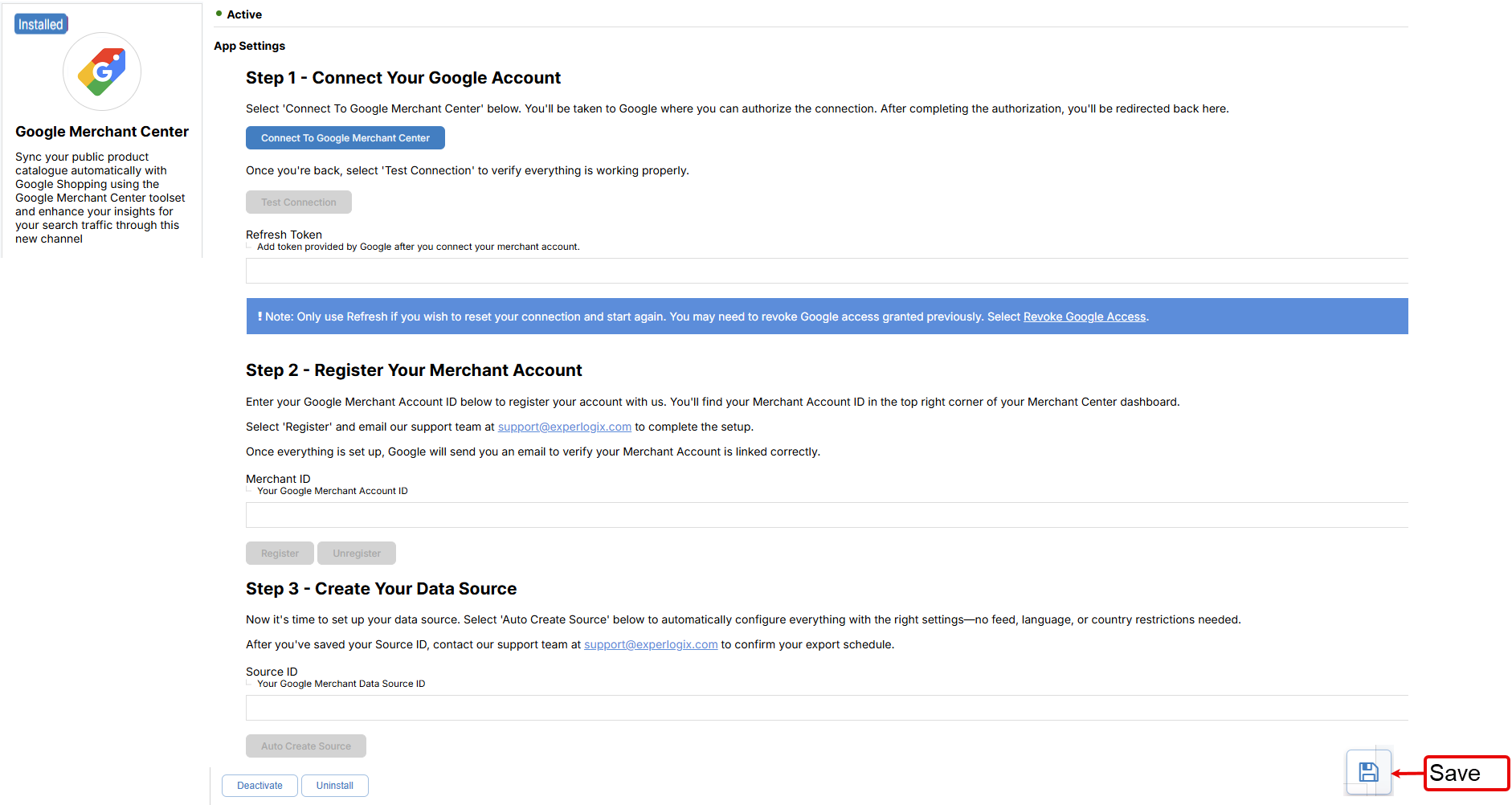
To activate it, follow the steps listed on the app store configuration page. At a high level, these are:
Step 1: Select “Connect to Google Merchant Center“. This authorizes the connection between Experlogix Digital Commerce and Google Merchant Center.
Step 2: Enter your Merchant ID, which you can find in your Google Merchant Center dashboard, and select Save. Then email our support team to request that they complete the setup. Once our support team has verified your details, Google will send you an email confirming that your merchant account is linked correctly to Experlogix Digital Commerce.
Step 3: Select “Auto Create Source“ to automatically create your product feed configuration. Once configured, the Source ID field is automatically populated. Then email our support team to confirm your export schedule.