


More Learning Resources
We continue to add more recipes to Practical Use Cases (Tutorials & Recipes), our new section in the Digital Commerce Knowledge Base that offers you easy-to-follow, step-by-step guides to help you become familiar with some of our newer, more powerful features.
As you are aware, the detailed product page contains several data elements, including product name, product code/SKU, stock number, and price. You can further customize it using the Templates Editor to share product information or showcase your brand’s strengths.
Select either Product: Display an image based on meta keywords or Product: Highlight your brand's strengths on all product pages to view the full recipes. Or take a minute to watch how to showcase your brand’s strengths:
Watch this space… we will add new learning resources regularly so you can keep up with the latest features.
🆕 New features in WebShop and Management Interface
Introducing Visual Editor
Remember Visual Page Builder, our drag-and-drop tool that lets you create WebShop content more easily? We’ve given it a new name and made it more user-friendly and intuitive.
Visual Page Builder is now Visual Editor.
Key updates are:
-
New navigation bar that displays the page name and its status, provides you with a device switcher preview tool, and allows you to actively publish the page or close the editor.

-
Improved visibility of both image and text blocks within the content body on the right, with a more consistent, predictable user experience.
-
Additional messaging when closing the editor and/or deleting blocks. This reduces the chance of accidentally deleting your work.
-
A new home for Settings as an accordion in the left-side panel, making them more visible and user-friendly.
To open Visual Editor, select Visual Editor from the floating toolbar at the bottom right of WebShop, as shown.
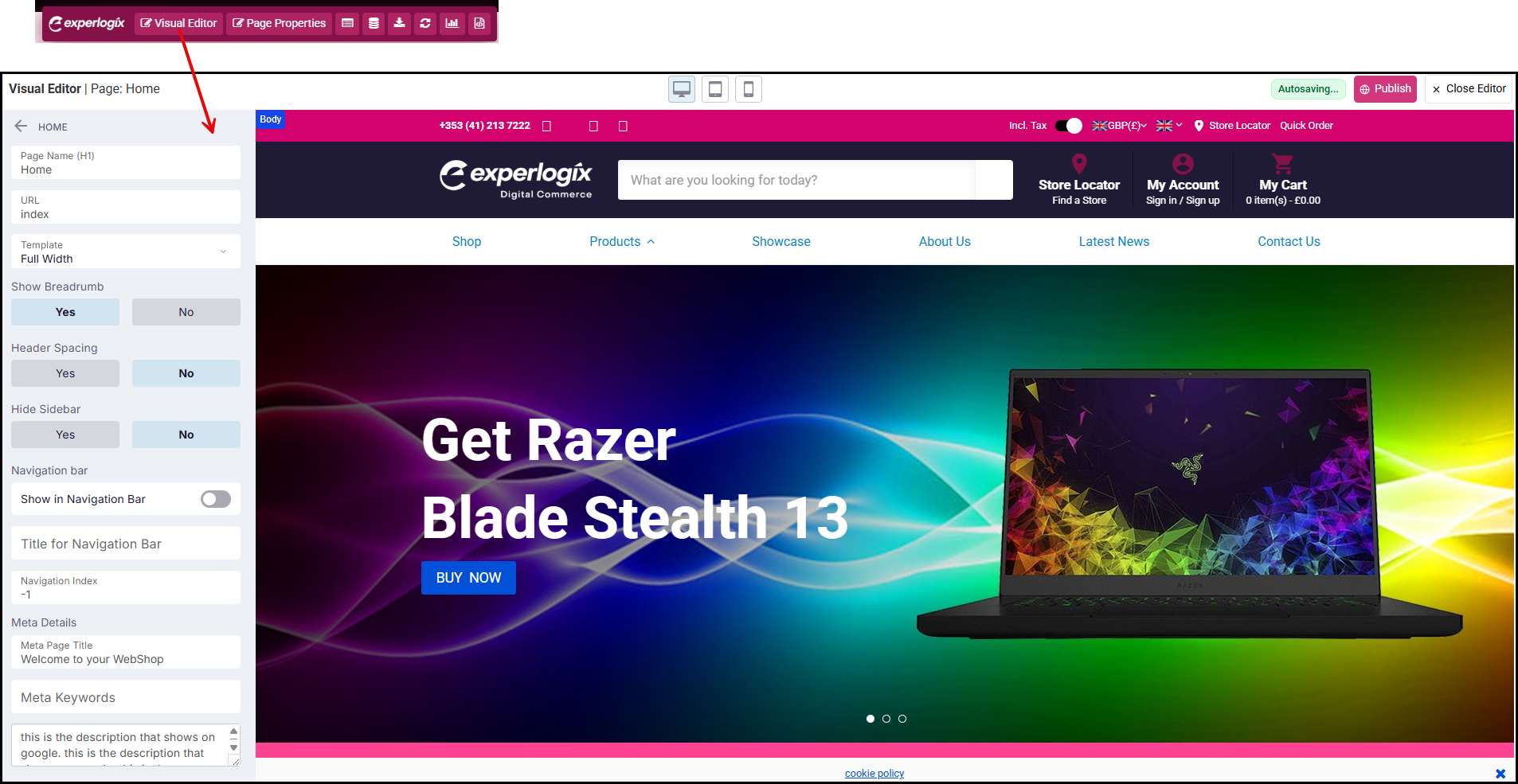
Read Using Visual Editor in WebShop for more information.
Updates to the integration between Experlogix Digital Commerce and Google Shopping
We are excited to share that we’ve made two improvements to the integration between Experlogix Digital Commerce and Google Shopping.
-
Updated and simplified integration
Note that Google Merchant Center and Google Shopping are part of our Digital Marketing SmartPack. Contact our sales team for more information.
As a result of changes in how the Google Shopping integration works, we’ve had to make some changes! We’ve updated and simplified the integration between Experlogix Digital Commerce and Google Shopping.
We’ve added a new app, Google Merchant Center, to our App Store. Locate the app in the App Store and follow the steps to connect Experlogix Digital Commerce with Google Merchant Center. Read How do I configure and manage Google Merchant Center? for more information.
Recommendation
Do you have an existing integration between Experlogix Digital Commerce and Google Shopping? If you have, please update your integration using our new Google Merchant App before August 2026.
This is because Google will no longer support the Content API for Google Shopping from 18th August 2026; we had used this API to integrate Experlogix Digital Commerce and Google Shopping.
-
Configure Google categories for each product in the Management Interface
Once the connection between Experlogix Digital Commerce and Google Merchant Center has been established, we are delighted to share that you can now configure Google categories for each product and transfer the information as part of your scheduled export to your Google Shopping product feed.
Note that you can have products in one category in your WebShop and a different category in Google Merchant Center/Google Shopping.
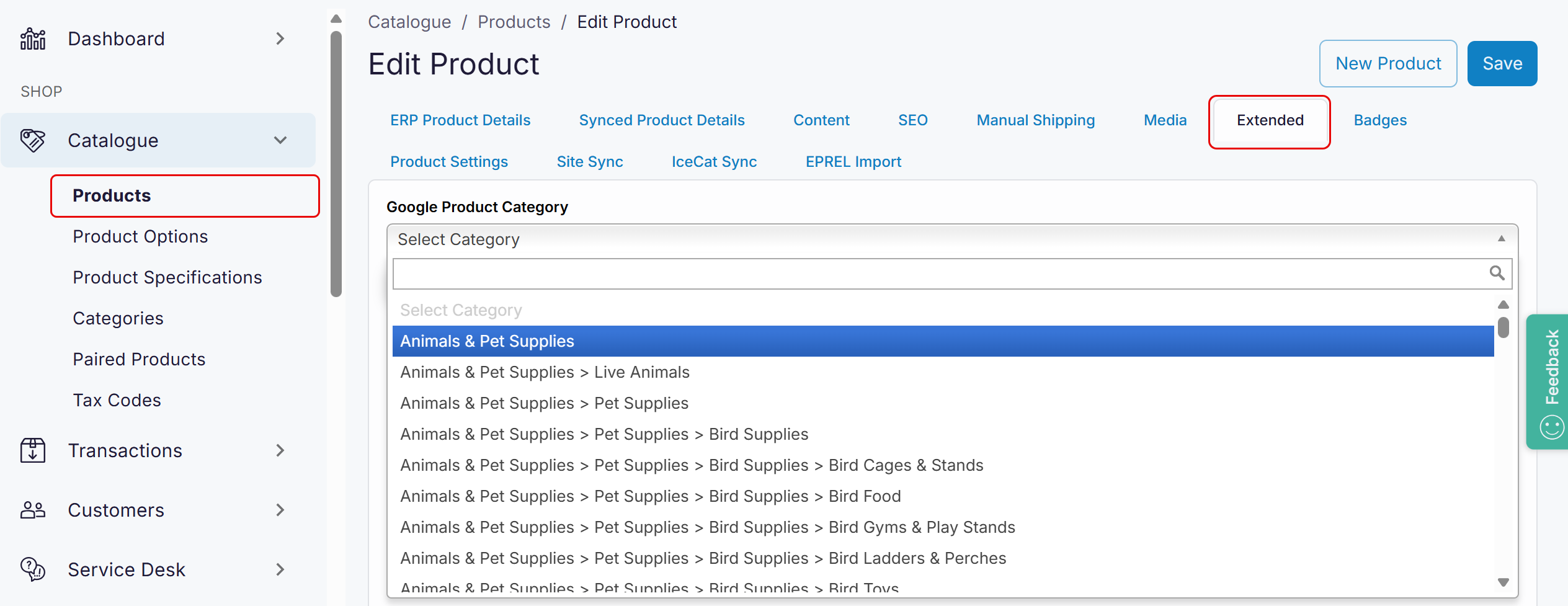
Read How to assign products to specific Google categories? for more information.
.png?cb=58422fe687ecfb209c40a3e1f00c98a6)