

🆕 New features in WebShop and Management Interface
Support for Templating
Last June 2025, we introduced a templating feature to the Management Interface, with the aim of providing you with a tool that gives you more control over the look and feel of your WebShop. We’re delighted to share that we’ve extended our Templates Editor, giving you even more control over the look and feel of your WebShop. Now you can modify various sections of the Login, Account Dashboard, Product Listing and Detailed Product, Categories, and Footer using this code-based design tool.
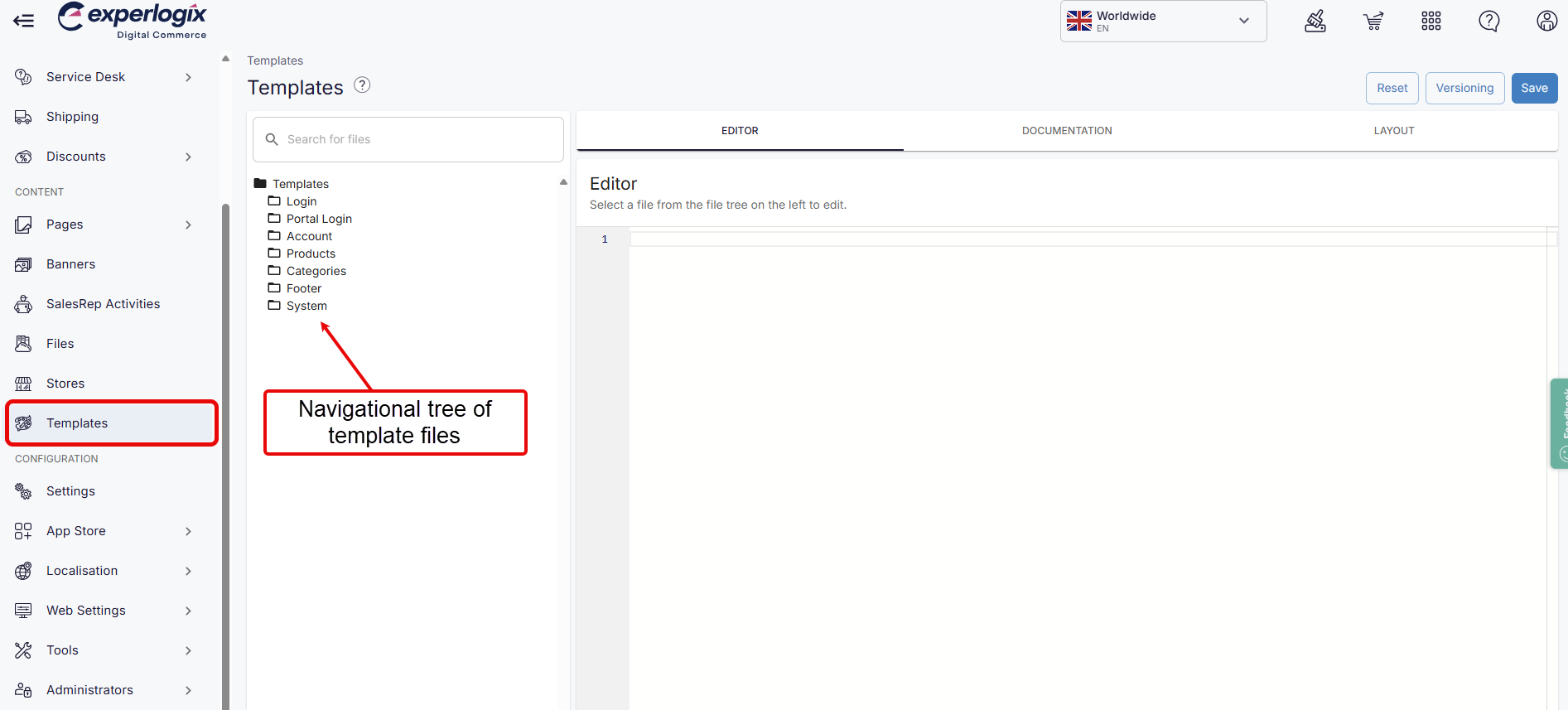
Accessed using Templates located in the left side menu of the Management Interface, as shown, it contains a navigational tree of template files that you can modify. Each template file modifies a different part of a WebShop page. The right panel of the Templates Editor contains three tabs:
-
Editor, where you can add code that modifies the look and feel of that element of WebShop,
-
Documentation, that lists the objects and variables that you can manipulate, and
-
Layout, which highlights where each template file is displayed for all template files contained in that folder.
Read Using Templates Editor for more information.
🆕 New features in Order Punchout
Support for invoicing in Order Punchout
Order Punchout allows you to embed a WebShop within your customer’s e-procurement system. It allows your customers to compile and punchout orders, follow their internal approval processes, and place the order in real-time into your ERP without leaving their e-procurement system.
Our standard Order Punchout includes
-
integration with Coupa, SAP Ariba and other XML- / cXML-based e-procurement systems,
-
authentication functionality, including secure sign-on from within your e-procurement system and,
-
sales order processing functionality.
We have added support for e-invoicing in Order Punchout.
The e-invoice is generated by your e-procurement system. When e-invoicing has been enabled and configured for your e-procurement system, e-invoices generated by your e-procurement can be sent via cXML to the desired recipients in your ERP. You can configure who to send e-invoices to on a screen in the Management Interface.
Our support team or your onboarding consultant will help you with this configuration.
Read what’s standard in Order Punchout for more information.
.png?cb=58422fe687ecfb209c40a3e1f00c98a6)