
Order Punchout allows you to embed a WebShop within your customer’s eProcurement system. It allows your customer’s to compile and punchout orders, follow their internal approval processes, and place the order in real-time into your ERP without leaving their eProcurement system. If enabled and configured, an eInvoice can be generated and transferred to your ERP via the Digital Commerce platform.
Built on top of the Digital Commerce Platform, and integrated with WebShop, your customer’s eProcurement software, and your ERP, it comes packed with many feature sets offering you an array of functionality. As standard, Order Punchout integrates with all our supported ERPs.
Order Punchout is a SaaS product
Order Punchout is a SaaS product.
This means that it includes all the support, regular feature updates, and security monitoring required so that no customer is left behind on older, insecure software, and you can concentrate on your core business function.
Of course, you can still opt for additional professional services to help you with extensions, migration and roll-out.
Introducing terms and concepts used in this article
|
Term |
Definition |
|---|---|
|
Commerce eXtensible Markup Language |
(cXML), a language used to transfer messages between eProcurement systems, eCommerce sites and suppliers. |
|
Requisition order |
a request for goods or services made by an employee to the person or department in a company that is responsible for purchasing. |
|
Web service |
service that allows two disparate systems communicate with each other via a standard messaging system. |
eProcurement System Integration
Integrates with Coupa, SAP Ariba, and other XML-/cXML-based eProcurement systems.
Authentication
-
Secure single sign-on from within your eProcurement system.
-
Add and manage users in the Management Interface.
-
Access to audit data so you can keep track of requests and orders.
Sales order processing
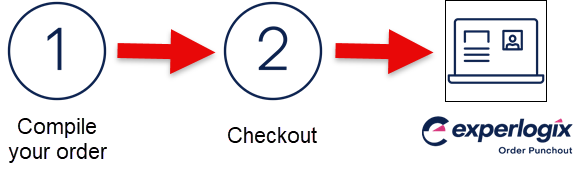
Compile your order
Within WebShop, there are various ways for your customers to compile/create and place an order. These are:
-
Browse the catalog and select “Add to Cart” to add products to your cart.
-
Allow B2B and B2C customers to compile orders using different features, such as Quick Order, Order Lists, or Spreadsheet Import.
Checkout
Once the order has been compiled, your customer follows the standard Checkout process by verifying order details and shipping and delivery information.
Punchout
The payment method available to your customer is Punchout. Once your customer selects this payment method and clicks 'Punchout', the order is sent via cXML as a requisition order to their e-procurement system.
After following their internal order approval process, your customer can place the order into your ERP in real-time from within their eProcurement system.
Send eInvoice
The eInvoice is generated by your e-procurement system. It can be configured to send outbound invoices via cXML to the desired recipients in your ERP. eInvoicing is enabled and recipients identified by their punchout identities on a screen in the Management Interface.
Our support team or your onboarding consultant will configure this for you.
Other feature sets included as standard
Once you’ve integrated your eProcurement system with WebShop, you get all the functionality and features contained in WebShop as standard. Read eCommerce standard features for full details.