
Purpose and scope
As a merchant, there may be times that you want to control how and when orders are placed into your ERP. Maybe you want to check their veracity before you submit them into your ERP. Perhaps you need to approve certain customer's orders manually for stock allocation or credit control reasons. Or maybe your customer's have an internal approval process for their orders prior to submission.
The order approval feature provides you with the control and flexibility to do that - review, approve and then place orders in your ERP following approval.
This article shows you how to
-
view a list of unapproved orders
-
view or edit a specific order
-
add an order to your cart
-
approve an order
Step by step
Step 1: Log into WebShop
Log in
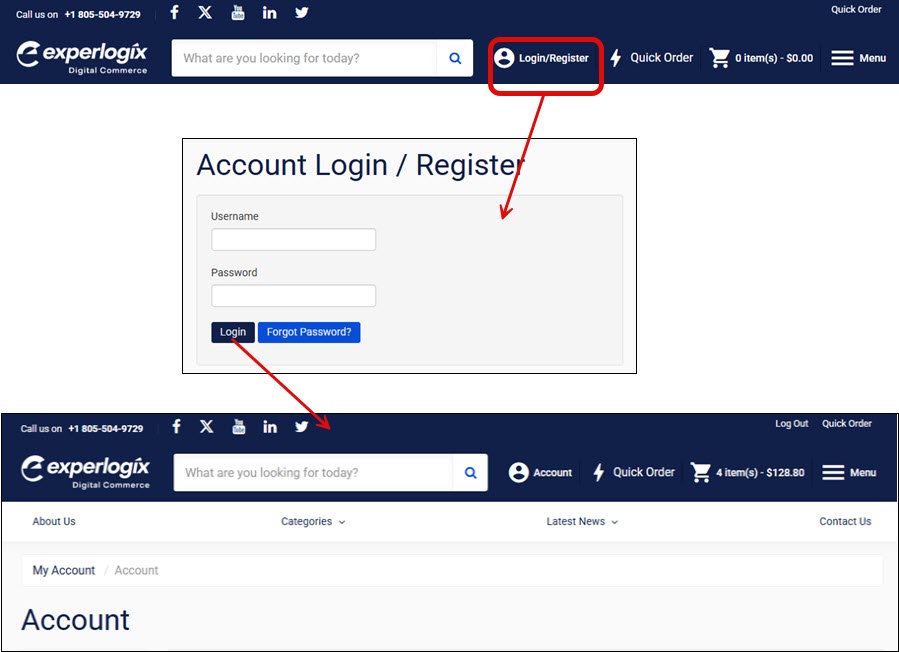
Log into WebShop with your username and password. This opens WebShop's dashboard.
Step 2: View list of unapproved orders
View
View a list of unapproved orders
-
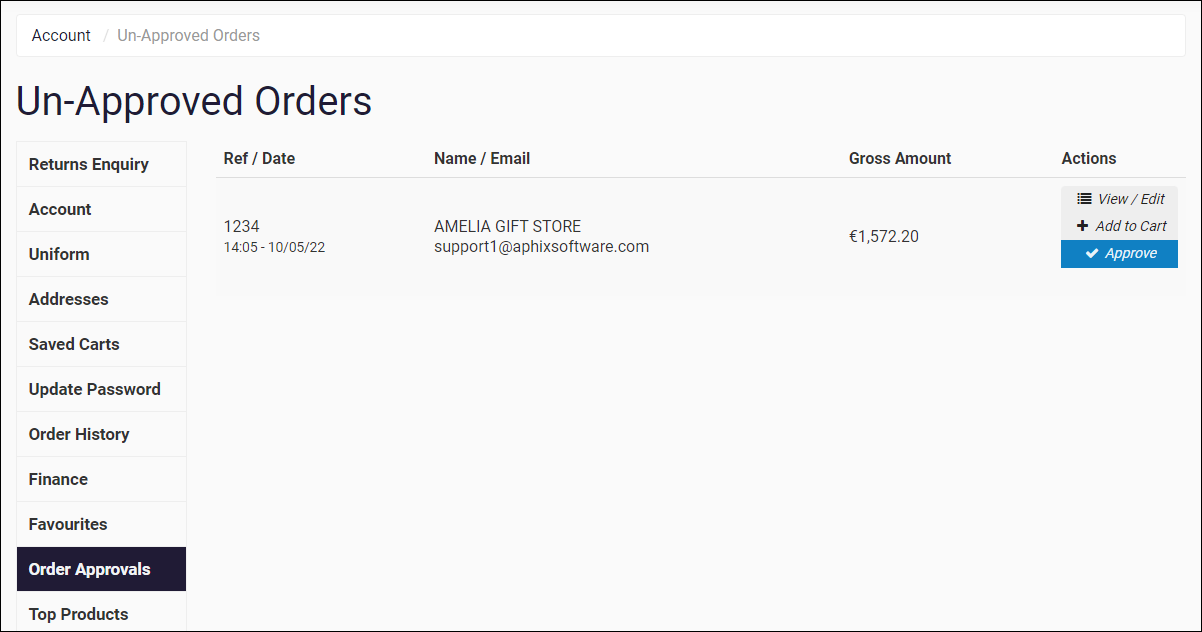
Click Order Approvals from the menu on the left of your screen.
-
If there are orders to approve, a list of orders that can be actioned is displayed, as shown:
Actions available
-
View /edit order
-
Add to Cart
-
Approve
Action 1: View or edit order
View or edit
-
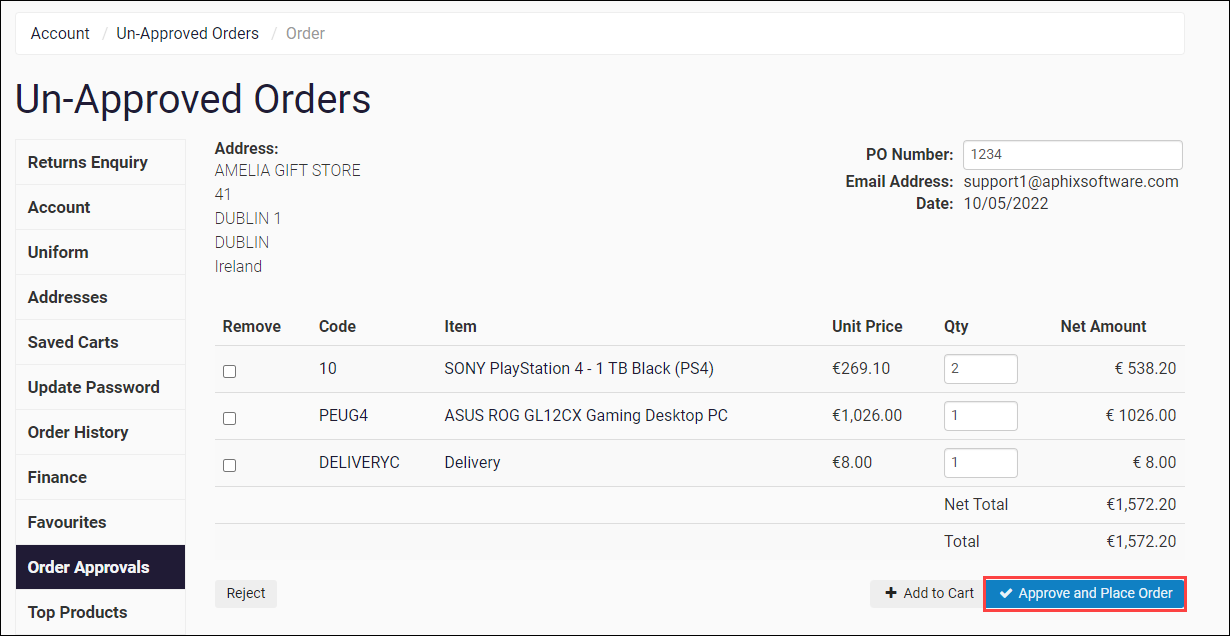
Click View / Edit to the right of the order you wish to edit or view. This opens the order and displays each line item in it.
-
Edit details as necessary. You can modify the PO reference and quantities or add and remove items in the Cart.
-
Click Approve and Place Order to place the order in your ERP for fulfillment.
Note
There is a case where orders may be approved and submitted to your ERP, which are then rejected by the ERP. This happens when the Strict Credit feature is switched on, and is applied by the ERP when an approved order is placed which is higher than the amount of credit available.
As the merchant, you receive an email notifying you if an order is not placed in the ERP.
Action 2: Add order to cart
Add
-
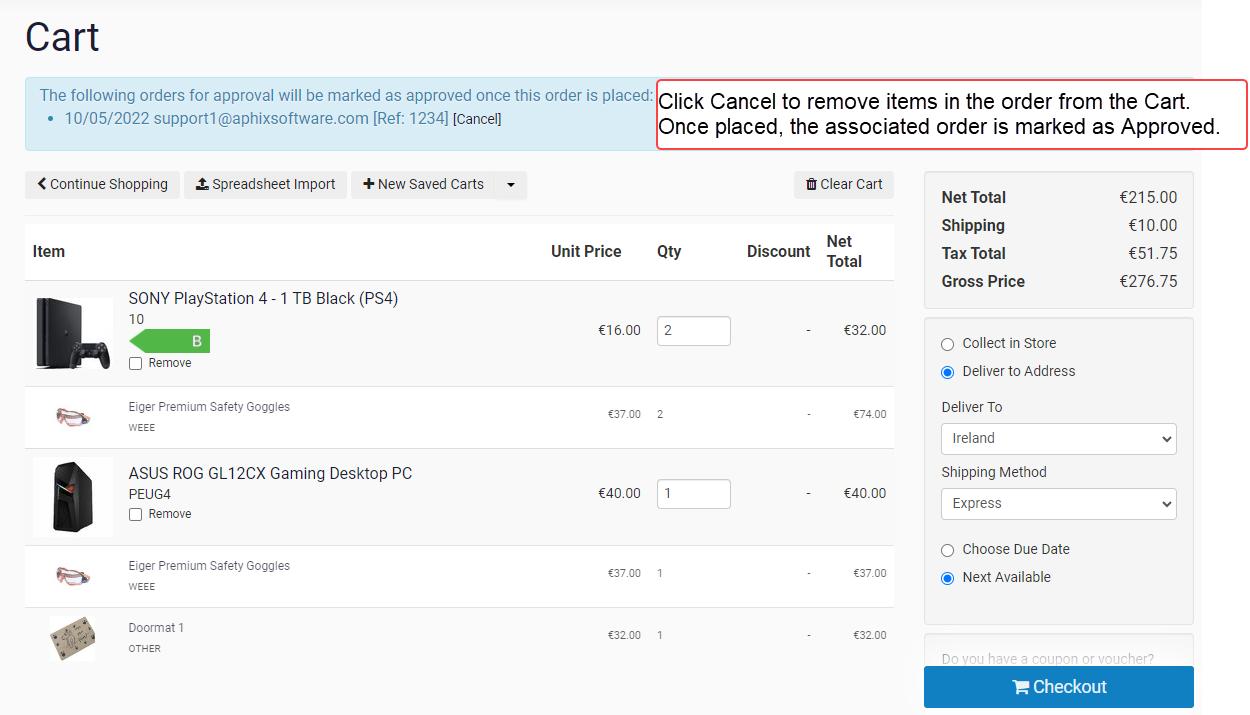
Click Add to Cart. This adds the contents of this un-approved order into the Cart. This allows you, as the Approver, to add multiple orders to the Cart and place them as one larger order. Once items are in the Cart, actions that apply in the Cart can be applied to these items also.
-
Follow the usual Checkout process to place the order in the ERP.
Note
When this order is placed, the linked un-approved order is marked as Approved, and is removed from the Unapproved Order list.
-
Click Cancel (highlighted in red in the screenshot) If you wish to remove the contents of this unapproved order from the cart.
Action 3: Approve order
Approve
-
Click Approve to place the order directly into your ERP.
Note
There is a case where orders may be approved and submitted to your ERP, which are then rejected by the ERP. This happens when the Strict Credit feature is switched on, and is applied by the ERP when an approved order is placed which is higher than the amount of credit available.
As the merchant, you receive an email notifying you if an order is not placed in the ERP.
