
Purpose
To explain why your products are only visible to certain customers in WebShop.
Introducing terms and concepts used in this article
|
Term |
Definition |
|---|---|
|
B2B customer |
a credit customer who has an account on your ERP system. |
|
B2C customer |
a cash customer who signs up for a web account on WebShop who has access to some customer self-service options, such as viewing their order history, maintaining a list of favourite products and saving delivery details. |
|
Enterprise resource planning (ERP) |
(ERP), a collection of your critical business operating systems, such as product, stock levels, financial, customers, suppliers and so on that run on the same platform. |
|
Product list |
a list of products that are grouped together and linked with a product list name. |
More information
A scenario may occur where some customers may not be able to see certain products. This happens if:
-
you have configured WebShop to restrict visibility of certain products to certain customers. For example, you may allow B2B customers to see one product set, while B2C customers can see a different product set.
-
certain customers may be on a product list, which restricts what products they can view and purchase.
How do I update who can view a product if I have restricted it based on their B2B or B2C status?
Update
-
Open Product Administration in Management Interface.
-
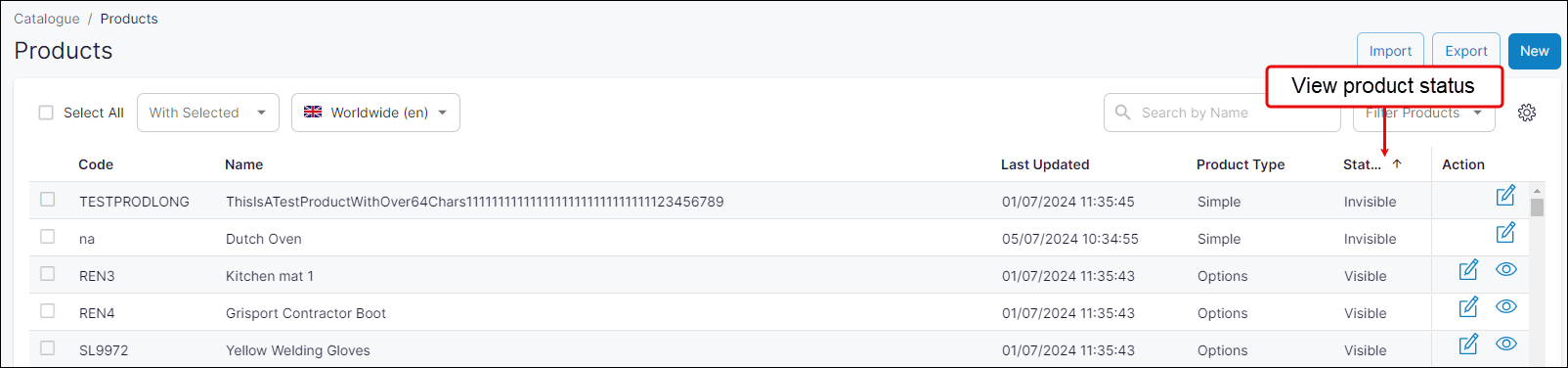
Search for the product using their name or product code. The product's status is listed as Visible or Invisible under Status.
-
If the product's status is Visible, click Edit to open the product details.
-
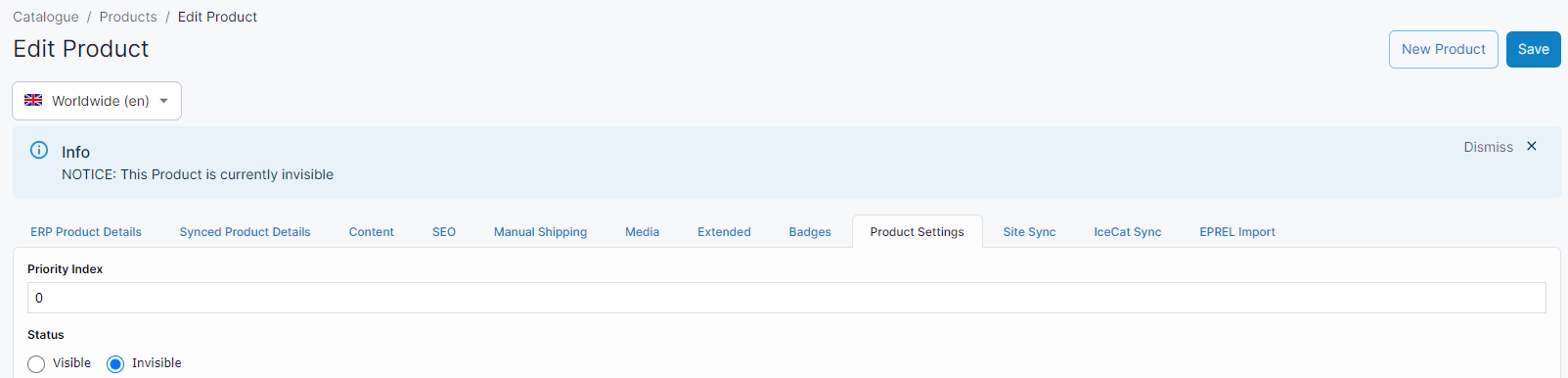
Select Product Settings tab.
-
Set Trade Only to Yes if you want only B2B customers to purchase this product. B2C customers may view this product but are not allowed to put it in their Cart.
-
Click Save. Your changes are immediately applied to WebShop.
How do I update who can view a product if I have restricted it based on a product list?
Update
-
Open Customers in Management Interface.
-
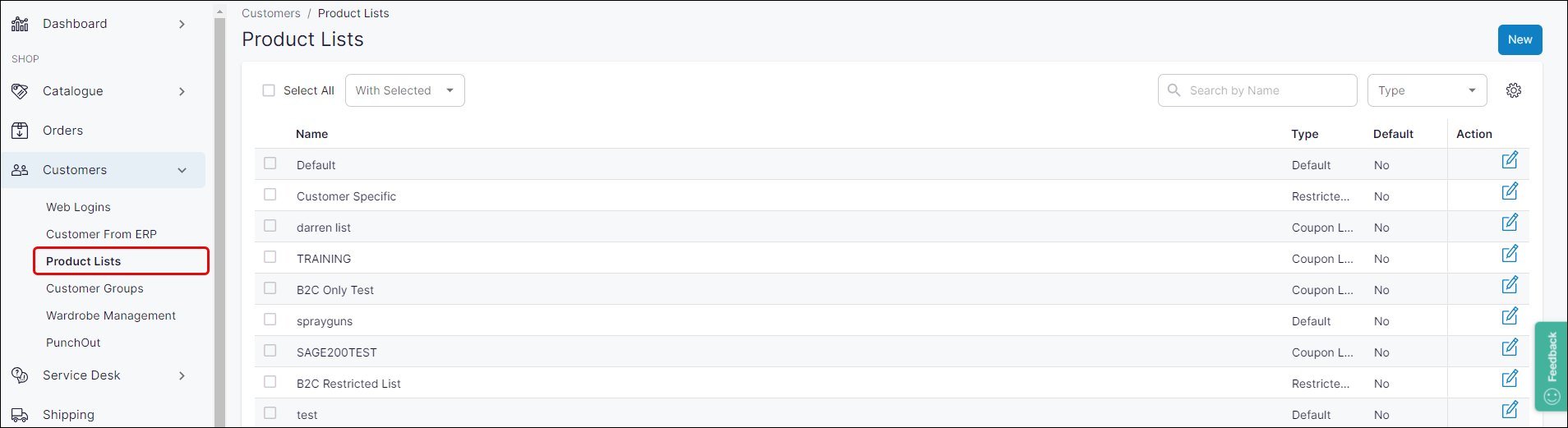
Select Product Lists.
-
Select the appropriate list from the navigational tree on the right of the screen.
-
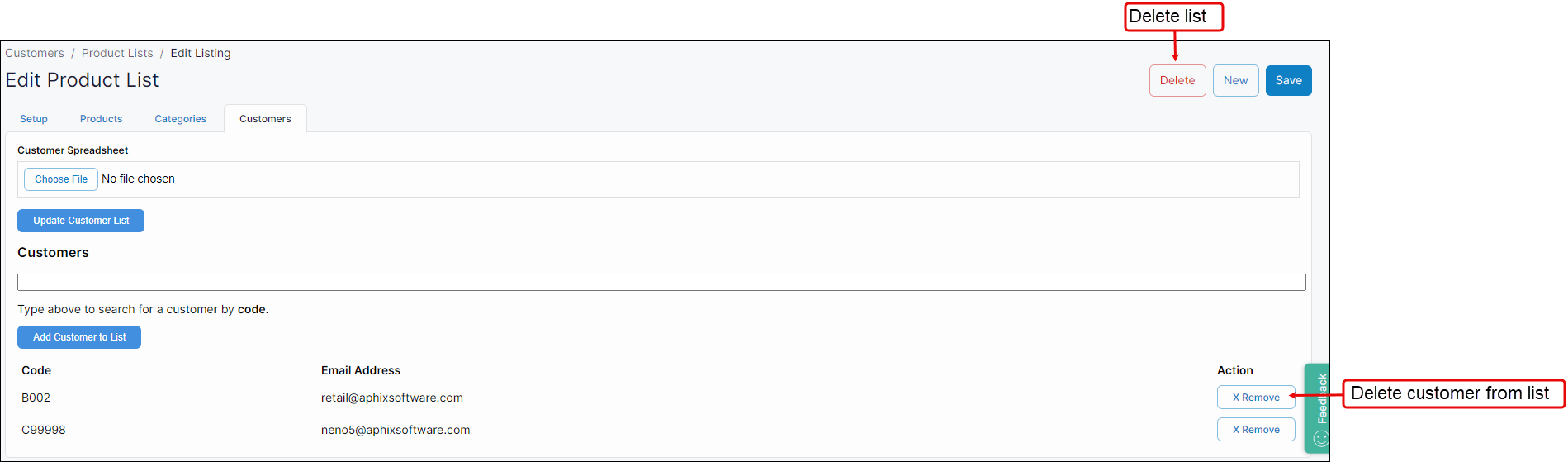
Click the Customer tab.

-
Either delete a single customer from the given list, or delete the full product list.
Key points
-
Your customers may not be able to view and purchase certain products because of the way you have configured your WebShop.
-
Open Product Administration and update the product settings where product visibility is based on whether the customer is a B2B or B2C customer.
-
Open Customer Administration and update the customer list of the applicable product list when the product's visibility is restricted by a Product List.