
Introduction
The New Quote screen offers functionality for creating a new quote.
How it fits together
The New Quote screen offers functionality for creating a new quote. By default, customer details are stored in the CPQ Dealer Portal so that the dealer can use them. Upon request, they may be mapped to the OEM/manufacturer’s Host System.
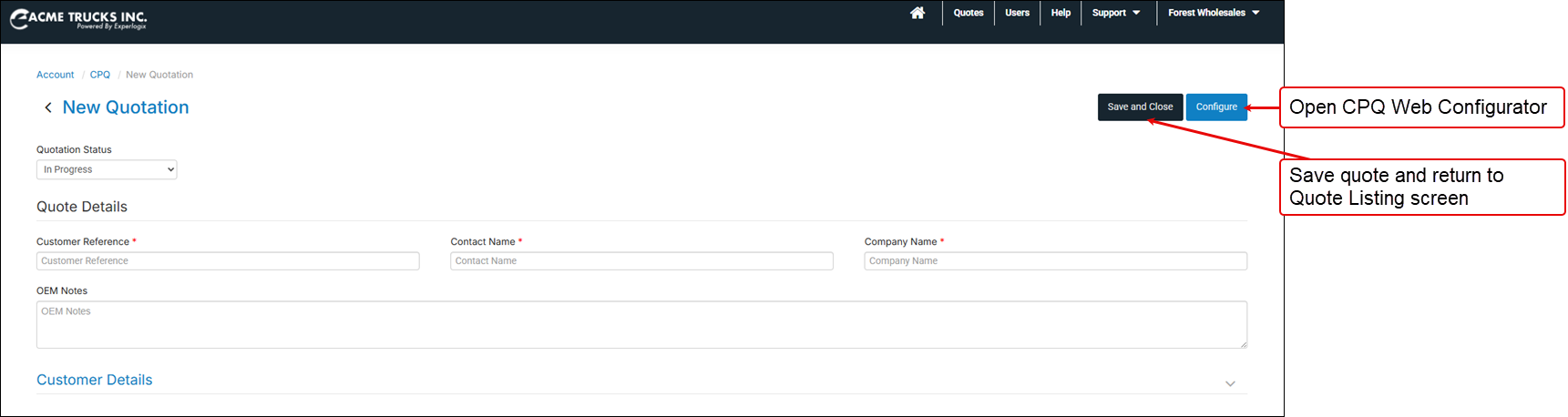
Actions available
-
Enter the minimum data to create a quote. The minimum data required is:
-
Customer reference
-
Contact name
-
Company name
-
-
Set the status of the quote. Read the lifecycle stages of a quote for more information about statuses.
-
Open the CPQ Web Configurator to start adding products to this quote.