
Purpose
To explain what URL types we support for SEO, and to provide a step-by-step guide for setting up SEO for all categories in your WebShop.
Introducing terms and concepts used in this article
|
Term |
Definition |
|---|---|
|
Search engine optimization |
(SEO), a method of attracting more organic traffic to your website (in this case, WebShop) by making it appear higher on search engine results pages. |
|
Uniform resource locator (URL) |
(URL), the address of a website. |
More information
Each category has two URLs associated with it. Both URLs point to the same category. These URLs are:
-
Friendly or Vanity URL
A URL that can be read easily by your customers. An example of a 'friendly' URL is: https://www.<your-domain>.ie/<category>/<id>.html, where id identifies the category.
-
Canonical / Filter URL
A system-generated URL parsed and analyzed by search engine 'bots'. An example of an 'ugly' URL is: https://www.<your-domain>.ie/categories.html?filter_set[]=176.
You can set up SEO for all your categories so that search engines index based on either the canonical or vanity URL by following the steps in the step-by-step guide provided in this article.
Alternatively, you can set up SEO on a single category.
Step by step
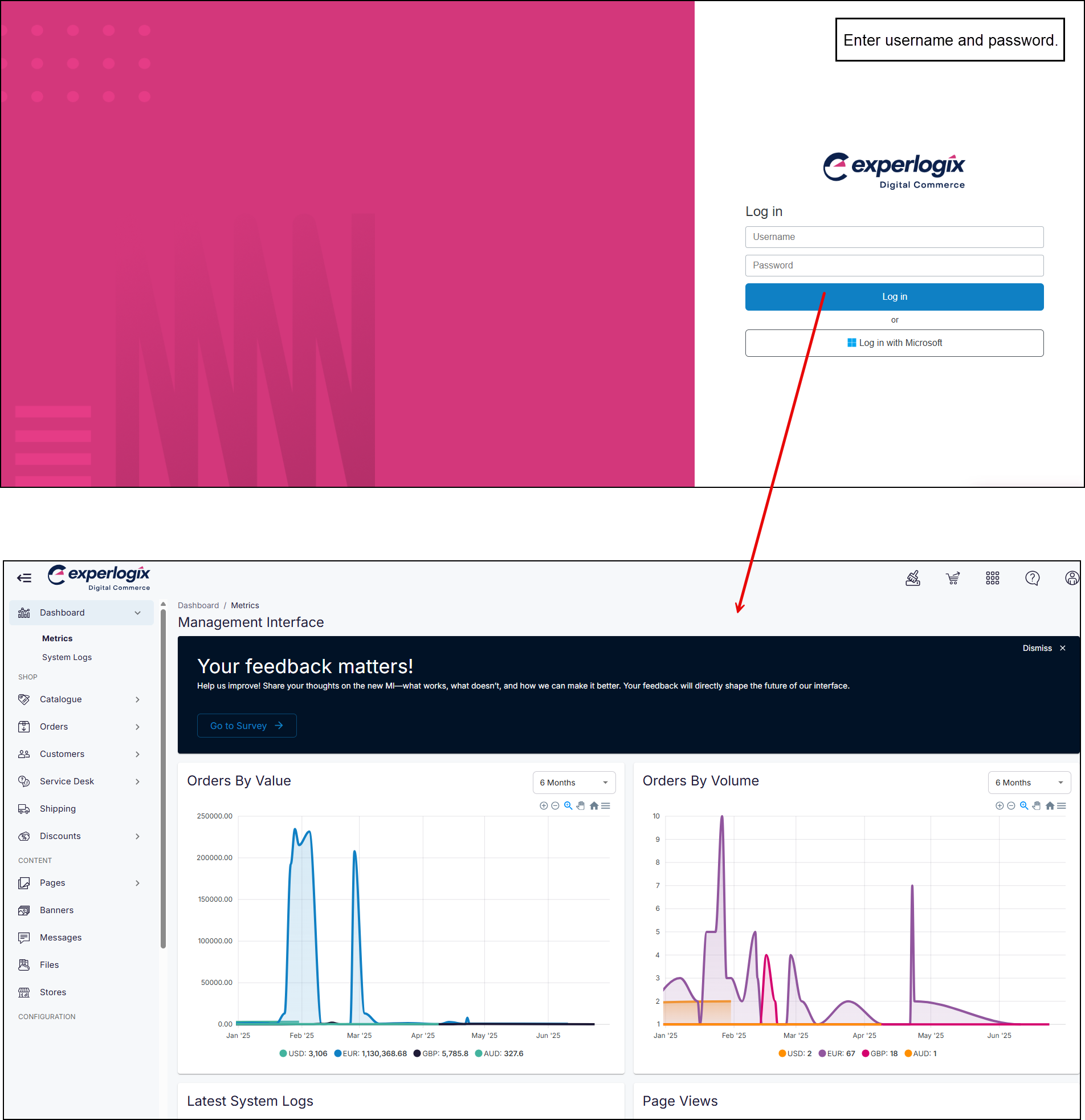
Step 1: Log in to the Management Interface
Login
Enter your username and password, and select Log in. This opens the Management Interface on your Dashboard.
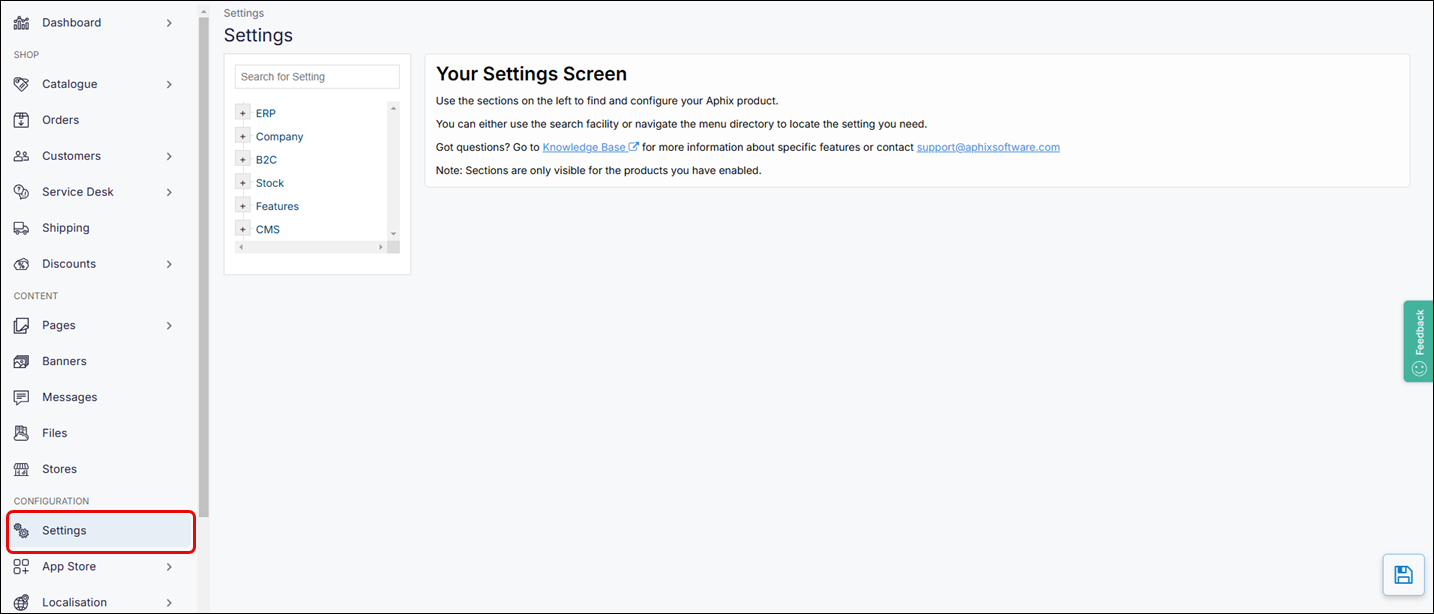
Step 2: Open Settings
Open
-
Select Settings on the left-hand menu . This opens the configuration area of the Management Interface.
Step 3: Set up index URL
Set up
-
Locate SEO by opening Features → WebShop or searching for WebShop using the search function in Settings.
-
Select Canonical / Filter Set or Vanity to apply that indexing type to all your categories.
-
Select the save icon in the bottom right of the screen to save your changes.
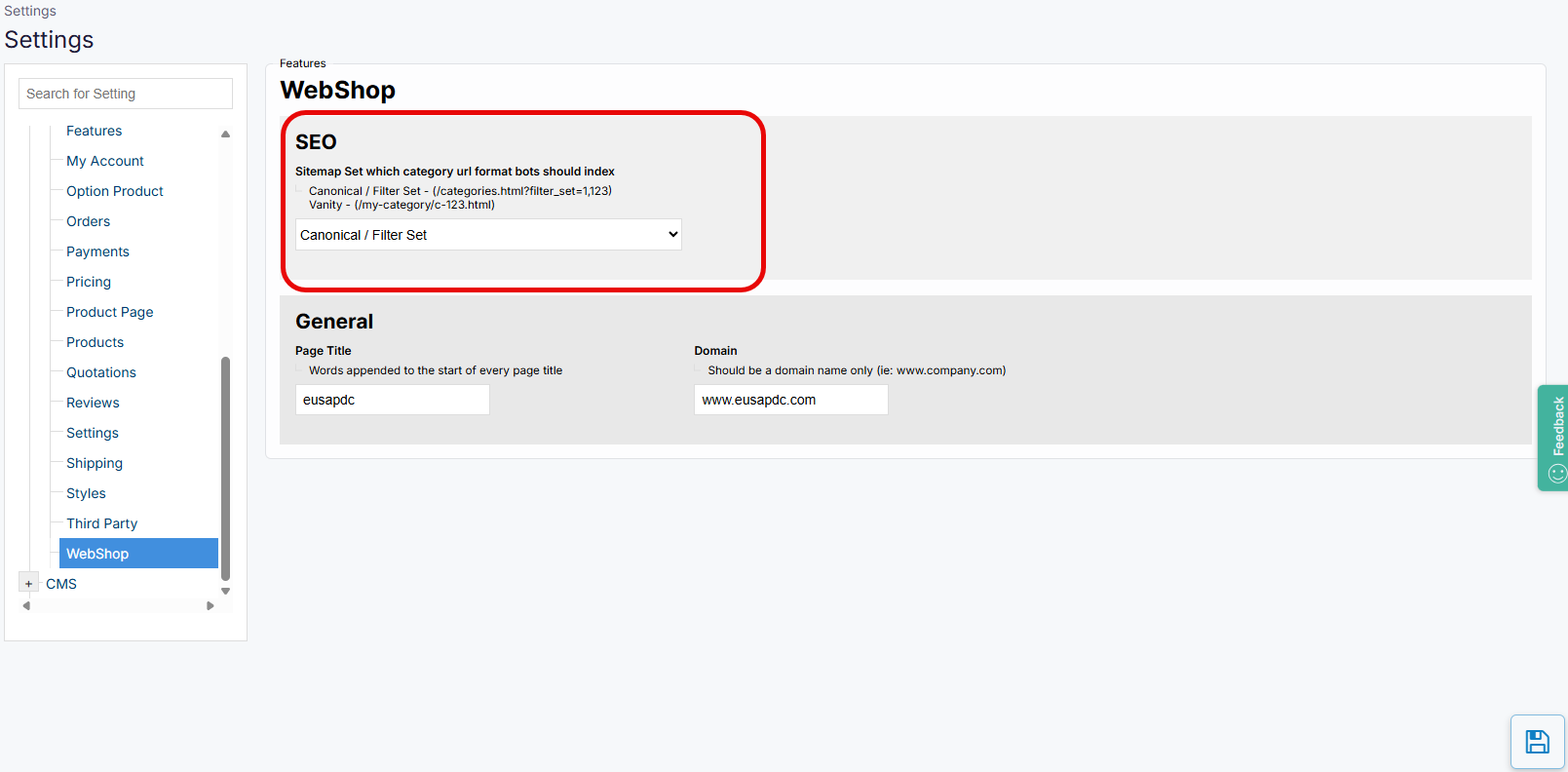
While your changes are applied immediately, it may take some time for the search engine crawlers to index your categories.
Key points
-
Setting up SEO on your categories may improve your search engine rankings and allow your customers to find the products they need more quickly using a search engine.
-
You can specify how you want your categories indexed by canonical or vanity URL.
-
You can specify category indexing for all categories or for a single category.