
Purpose
To describe how to configure WebShop to allow your B2B customers download their invoices from the WebShop dashboard.
Key point
Only applicable to you if your WebShop is integrated with a recent version (after 1st January 2020) of Intact iQ.
Introducing terms and concepts used in this article
|
Term |
Definition |
|---|---|
|
Web service |
service that allows two disparate systems communicate with each other via a standard messaging system. |
|
SOAP |
stands for Simple Object Access Protocol, and is a protocol used to send and receive structured data in XML using standard web service calls. |
|
REST |
(REST), and is a protocol used to send and receive data using standard web service calls. |
|
Enterprise Resource Planning (ERP) |
(ERP), a collection of your critical business operating systems, such as product, stock levels, financial, customers, suppliers and so on that run on the same platform. |
More information
Pre-requisites and limitations
Pre-requisites
-
You must have access (either remote or physical) to the main server where Intact iQ is installed.
-
You must be technically capable, and have a general administration level of how to use Intact iQ.
-
You must have access to your company settings on Intact iQ.
Limitations
-
WebShop is integrated with a recent version (after 1st January 2020) of Intact iQ.
-
This feature only works when the SOAP web service is used to integrate with WebShop.
-
Intact Software supports the ability to share data required for this feature to operate using the Intact API when it is step up as described in the step by step section.
-
You can only download invoices using this feature.
-
Designed for Intact iQ and HarmoniQ integrations with WebShop.
Step by step
How to
-
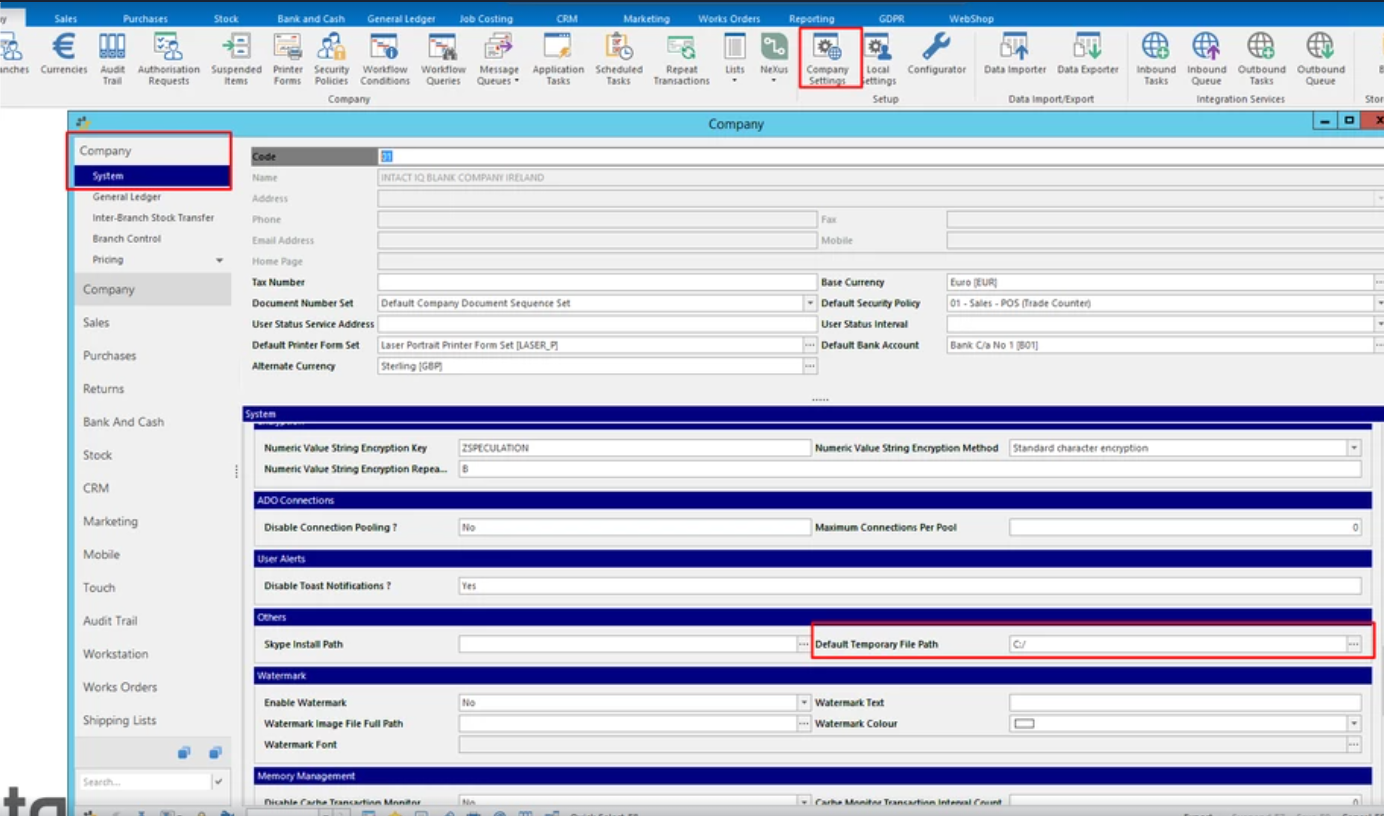
Create a folder called "C:/temp" on your Intact iQ server (assuming that the C drive is where Intact iQ is installed).
-
Set the default temporary file path to "C:/temp" in Company Settings.
-
Save your changes.
-
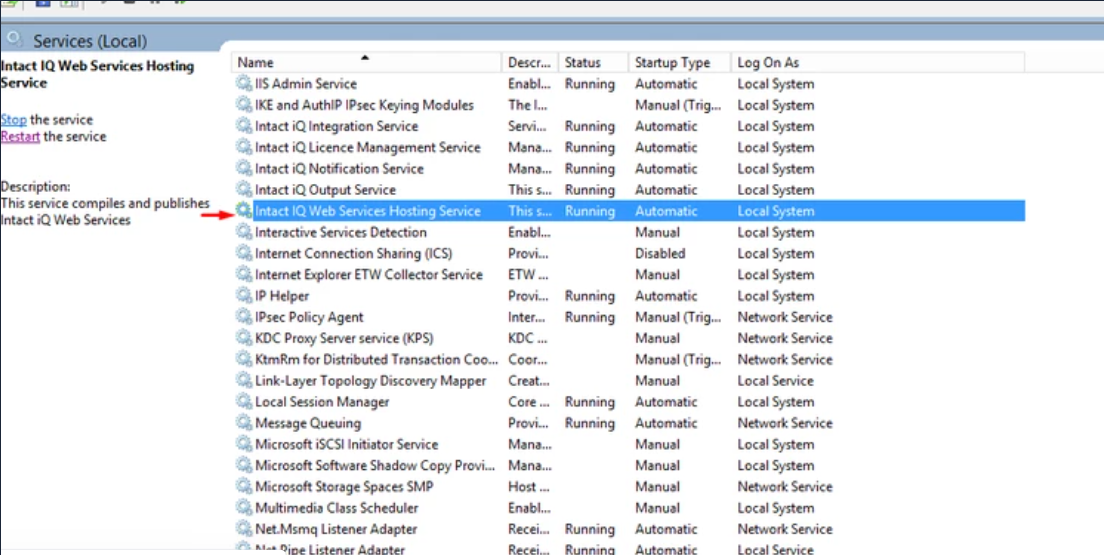
Restart the web services so that the default temporary file path can be applied to them.
-
Open Management Interface, and click Clear Cache, located in the top right of the screen. This clears the cache.

Once the web services have come back online, original Intact invoices is displayed under Statements in WebShop for each customer.
What does my customer see in WebShop?
See
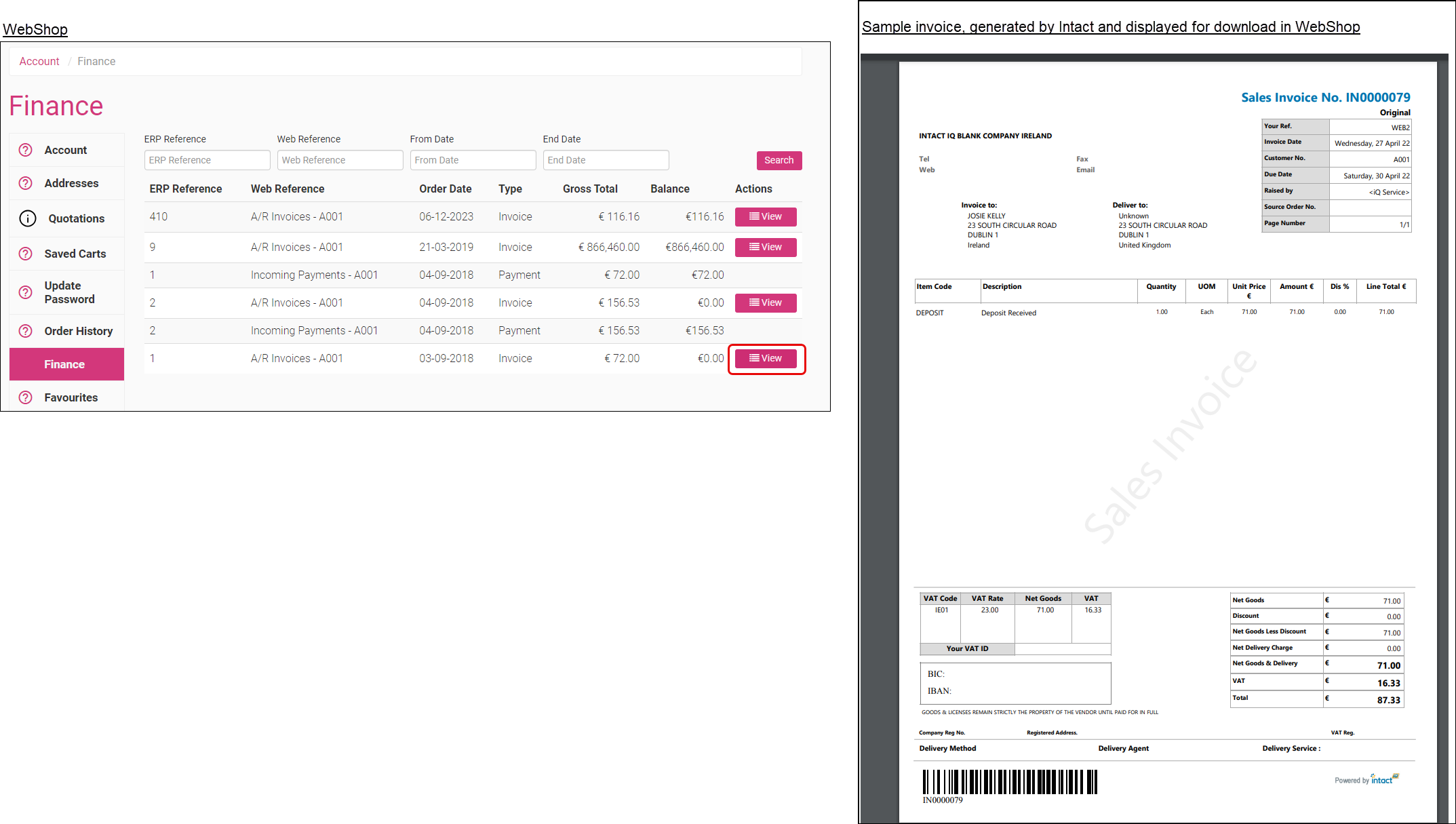
Once the web services have come back online, original Intact invoices are displayed under Finance in WebShop for each customer.
Click View to the right of the invoice your customer wishes to download, and a PDF version of the invoice is displayed and available for download.
Key points
-
Using this feature, your customers can see the same level of detail on both the invoices they see on their WebShop dashboard, and the invoices issued to them directly from Intact.
-
In some cases, the styling of the downloaded invoices may be different to the invoices issued directly from Intact. Contact Intact Support for help with this, since it is caused by how the template is applied.