
What is Experlogix Digital Commerce?
What?
Experlogix Digital Commerce is a SaaS product that provides real-time access to your ERP, enabling you to manage your business operations quickly and efficiently. It includes:

Digital Commerce platform
The Digital Commerce platform is the core of our product suite. Using bespoke web services, it
-
integrates in real-time with your Enterprise Resource Platform (ERP)
-
provides connectivity to various digital marketplaces on one secure and robust platform
It includes its own hosting environment. Once it has been set up, you can add WebShop, Management Interface, Mobile App and Multi-channel products.

WebShop
WebShop is an integrated B2B or B2C web portal that provides real-time access to products, prices, and stock levels, with the option of gated logins, micro-sites, and more. You can select to make it gated, meaning that your customers must have a login to order, check stock and manage their account.

Management Interface
The Management Interface serves as the control center for the Digital Commerce platform, including WebShop, Mobile Apps, and Multi-channel, enabling you to configure these products as needed.

Standard ERP integrations
As standard, we can integrate with
-
SAP Business One - SQL Server Version 9.1 to 10
-
SAP Business One - HANA Version 9.2 to 10
-
SAP ERP
-
SAP S/4HANA
-
Microsoft Dynamics 365 Business Central
-
Microsoft Dynamics 365 Finance & Operations
-
Intact - all versions of xLine/vLine and iQ/HARMONiQ
-
Sage 200 - Sage 200 Professional 2022 R1 to 2024 R1
-
Others via API and file integration
Experlogix Digital Commerce is a SaaS product.
Experlogix Digital Commerce is a SaaS product.
This means that it includes all the support, regular feature updates, and security monitoring required, so that no customer is left behind on older, insecure software, and you can concentrate on your core business functions.
Of course, you can still opt for additional professional services to help you with extensions, migration, and roll-out.
Why should I use Experlogix Digital Commerce?
What features are included as standard in WebShop and Management Interface?
What does WebShop look like?
What does WebShop look like?
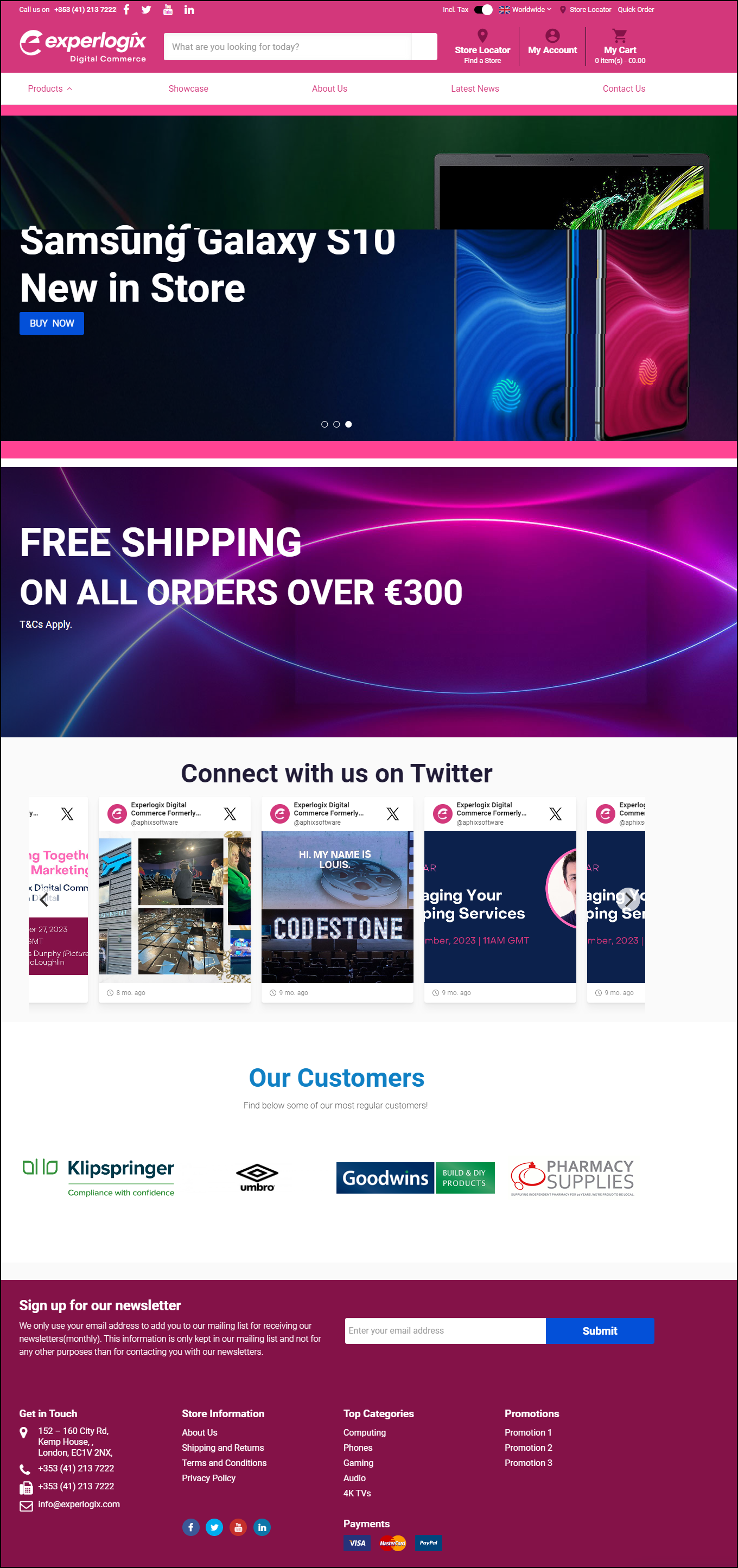
Think of WebShop as your electronic store window.
It consists of four main elements - top and side menu bars, main content body and a footer. It contains your product catalogue, provides customer account functionality, allows your customers to place orders in real-time into your ERP and more.
What does Management Interface look like?
What does Management Interface look like?
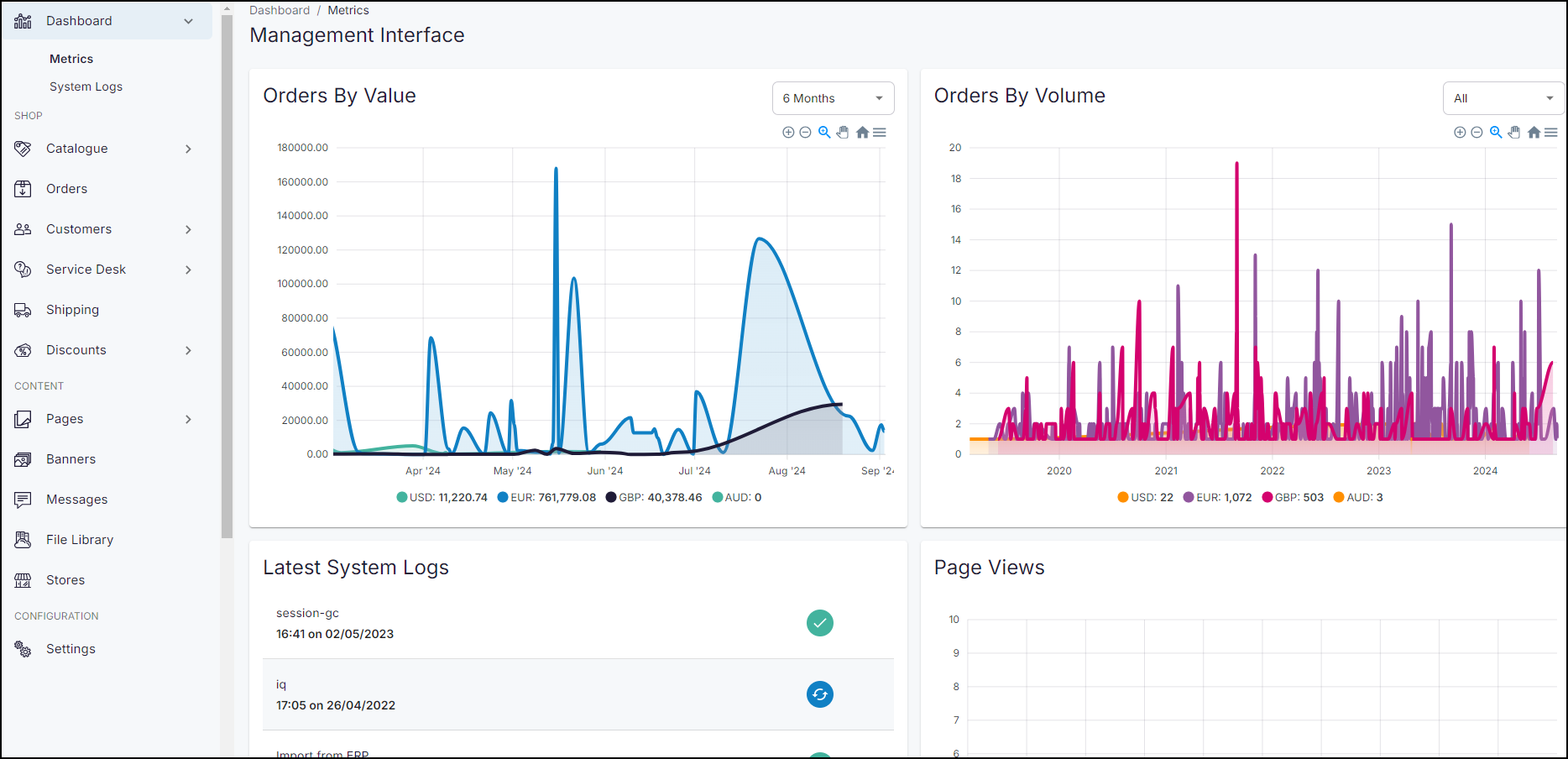
Management Interface is a configuration tool that allows you to manage your WebShop's content, products, orders customers and other settings.
It consists of three main elements - a top menu, side menu bar and a main content body. It provides you with options that allows you to add content to WebShop and configure your WebShop options so it operates in a way that suit your business processes.
A detailed description of its screen layout is found here.
Is WebShop mobile-friendly?
Sounds exactly like what I need! How can I obtain it?
I am a retail customer. Can I use WebShop?