
.png?cb=58422fe687ecfb209c40a3e1f00c98a6)
🆕 Experlogix Digital Commerce Platform
We’ve been busy developing a new ERP integration and improving existing ERP integrations with Experlogix Digital Commerce Platform. We’re delighted to share that you can now:
✅ Integrate with Microsoft Dynamics 365 Finance and Operations.
✅ Streamline your payment reconciliation process within SAP Business One.
Read on for the details of these updates to our platform integrations.
Integration with Microsoft Dynamics 365 Finance and Operations
We can offer you an integration with Microsoft Dynamics 365 Finance and Operations as standard. This allows you to use and extend your business data online without compromising its quality and integrity. Data is requested and sent through Experlogix Cloud Connect1, which consists of cloud-based integration APIs that handle the integrations with Digital Commerce (and all other Experlogix platforms).
There are some prerequisites to using this integration, including having an application user license for Microsoft Dynamics 365 Finance and Operations. You also need to set up a connection between Microsoft Dynamics 365 Finance and Operations and Experlogix Cloud Connect before getting started.
Discover more about these prerequisites and a complete list of what comes as standard with this integration in Integration with Microsoft Dynamics 365 Finance and Operations.
Updates to integration with SAP Business One
We’ve made reconciling certain payments easier for your accounts teams.
When your customer makes a payment against their account by selecting “Pay Off Balance” in their Account Dashboard and uses a payment gateway that supports payment-on-account, the reference number returned by the payment gateway (known as the Gateway Reference) can now be transferred automatically to SAP Business One.
Note
Payment on account is a credit/debit card transaction in which a partial payment of an amount owed is not yet matched against a specific invoice.
Currently, three payment gateways that we integrate with support payment on account and return the Gateway Reference. These are Realex, Elavon, and Stripe.
Both invoice and payment on account payments are listed on the Transactions → Payments screen.

Read Understanding the Account Details screen in WebShop for more information.
Read Screen layout: Transactions to discover what you can do when you select Transactions in the Management Interface.
🆕 New features in WebShop
Updates to integration with Avalara
The Avalara app is available in the App Store in the Management Interface. Once enabled and configured, it provides your customers with a seamless checkout process, with relevant sales tax applied to their Carts. As you are likely aware, taxes can be calculated based on the ShipTo (delivery) or ShipFrom (dispatch) address for the order. If the ShipFrom fields are not populated, the tax owed is based on the ShipTo (delivery) address.
We have updated the Avalara app to allow you to configure ShipFrom (dispatch) addresses for your customer orders, since different taxes may apply based on the location from which products are shipped.
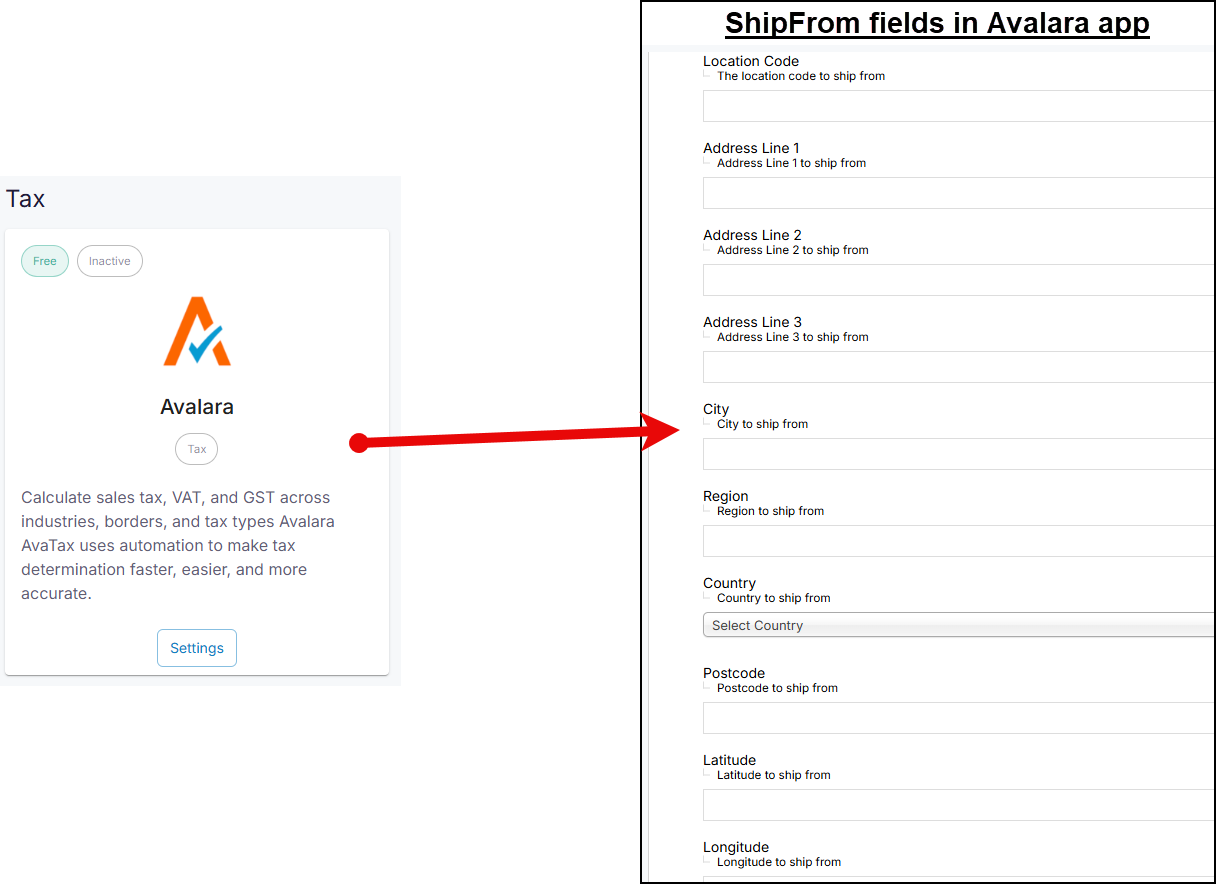
Read Integrating AvaTax with WebShop for an overview of how the integration with WebShop works. Discover the complete list of fields you can configure in the Avalara app in How do I configure and manage Avalara AvaTax?
Watch a product webinar again!
Product Webinar recordings are now available to watch again; to do so, select Product Webinars on the Digital Commerce Knowledge Base and select the webinar you wish to watch.
We’ve updated the Product Webinars area to include the latest webinar on Why you and your WebShop would love a PIM, which was held in September 2025.